


Minecraft has no built-in zoom key by default, which surprises a lot of players. But there are four easy ways to zoom in, from the vanilla spyglass to a one-key OptiFine bind. This guide covers every method for both Java and Bedrock, so you can pick the one that fits how you play.
Everything here is confirmed in the current 2026 version of Minecraft (26.3).
Quick answer: the vanilla way is a spyglass (hold it and use it to zoom). On Java you can also bind OptiFine’s zoom key (default C) or add a zoom mod, and on any version you can lower your FOV in Options for a quick zoom.
Zoom Methods at a Glance
| Method | Works on | How |
|---|---|---|
| Spyglass | Java + Bedrock | Craft and use the item |
| OptiFine zoom | Java | Hold C (rebindable) |
| Zoom mod | Java | Zoomify, Logical Zoom |
| FOV slider | Java + Bedrock | Lower FOV in Options |
Method 1: The Spyglass (Vanilla)

The spyglass is the only built-in zoom, added in the Caves and Cliffs update. Craft it with 1 amethyst shard on top and 2 copper ingots below it (stacked vertically). Then hold it and use it (right-click on Java, or your interact button on Bedrock) to zoom in.
A few things to know: the spyglass zooms hard, dropping your field of view to about one tenth of normal (roughly 7 degrees on Java), and it adds a round black vignette around the edges so you focus on the center. It works on blocks, mobs, and items, and it is the only zoom that works the same on both Java and Bedrock.
Method 2: OptiFine’s Zoom Key (Java)

If you run OptiFine, it adds a smooth zoom bound to the C key by default. Just hold C to zoom and release to go back. To change the key, go to Options, Controls, Key Binds and rebind “Zoom.” This is the cleanest zoom for Java players and the one most streamers use.
Method 3: A Zoom Mod (Java)
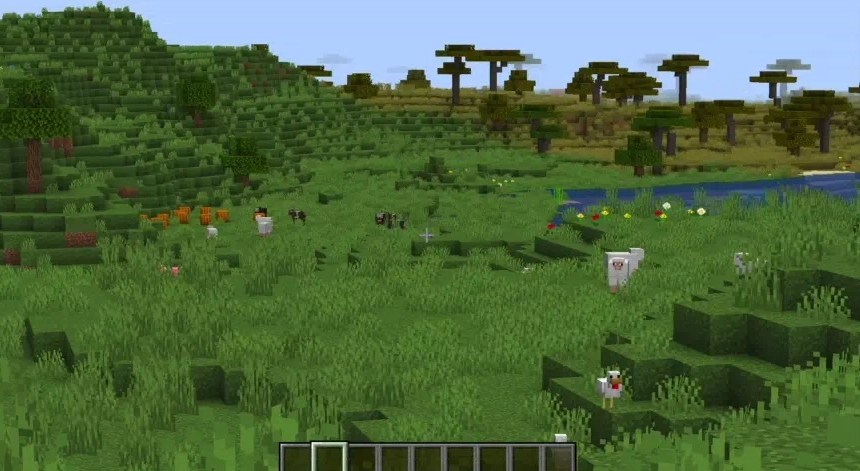
If you use Fabric instead of OptiFine, a dedicated zoom mod does the same job. Zoomify and Logical Zoom are the popular picks, both give you a hold-to-zoom key with smooth animation and options for zoom strength. Install one the same way as any Fabric mod.
Method 4: The FOV Slider (No Mods)

Every version can fake a zoom with the field-of-view slider. Go to Options and drag FOV down (as low as 30) to zoom in, or up (toward 110) to see wider. The catch is that it is not a toggle, you have to open Options to change it, and it zooms the whole screen rather than a focused area. It is handy in a pinch on Bedrock, where there is no OptiFine.
Frequently Asked Questions
Not by default. Vanilla Minecraft has no zoom keybind. You zoom with a spyglass, or on Java you add OptiFine (default C key) or a zoom mod. You can also lower your FOV in Options.
The quickest way is OptiFine’s zoom, held with the C key by default. You can also use a spyglass, install a Fabric zoom mod like Zoomify, or lower your FOV slider.
Bedrock has no OptiFine, so use a spyglass (hold and use it) or lower your FOV in Options. The spyglass is the built-in zoom on Bedrock.
Place 1 amethyst shard on top and 2 copper ingots below it, stacked vertically, in a crafting table. Hold it and use it to zoom.
Yes. A lower field of view (down to 30) zooms the view in, while a higher FOV (up to 110) shows more around you. It affects the whole screen, not a focused area.
C by default. Hold it to zoom and release to return to normal. You can rebind it under Options, Controls, Key Binds.
There is no single zoom button in vanilla Minecraft, but you are not stuck: craft a spyglass for a built-in zoom, bind OptiFine’s C key or a Fabric zoom mod on Java, or just drop your FOV for a quick look. Pick whichever suits your setup and you will never squint at a far-off mob again.



