Want to know what Minecraft’s top PvP players are actually running? It’s not cheats – it’s a clean stack of mods that boost your FPS and feed you the combat information vanilla hides. This guide covers the best Minecraft mods for PvP in 2026, split into the three categories the pros use: optimization mods (performance), PvP mods (in-fight info and utility), and clients (everything bundled).
Read this first: a few of the mods below are powerful enough that some servers ban them – the ones that bypass the server’s normal delay (instant crystals, faster eating, client-side hit registration). They are not hacks like kill-aura or reach, but always check your server’s allowed-mods list before using them. The pure information mods are safe almost everywhere.
Everything here is for Java Edition on the Fabric loader.
Before You Start
- Performance first. Higher, steadier FPS improves your aim, clicks, and hit registration more than any single visual mod. Install the optimization stack before anything else.
- Use a lightweight launcher. A Prism Launcher or Modrinth App setup on Fabric gets you the highest FPS and one-click mod installs.
- Know your server’s rules. Info/HUD mods are allowed on nearly every server. The “action optimizer” mods (flagged below) are bannable on many competitive servers – check first.
- No cheats here. Nothing on this list aims, reaches, or fights for you. Those are hacked clients; they’re bannable everywhere, and they’re not included.
1. Optimization Mods (the FPS foundation)

These don’t change how the game looks – they make your PC do less work, so your frames go up, and the game feels smoother. They aren’t “PvP mods” exactly, but every top player installs them first.
- Sodium – a far more efficient rendering engine; the single biggest FPS boost.
- Lithium – optimizes the game’s logic/tick performance.
- Starlight – rewrites how lighting is calculated (replaces the old Phosphor).
- FerriteCore – reduces RAM usage.
- Entity Culling – stops rendering entities you can’t actually see.
- ModernFix – fixes many vanilla bugs and improves load times.
- ImmediatelyFast – speeds up rendering and game loading.
Shortcut: install the Fabulously Optimized modpack to get all of these (and more) bundled for the highest FPS in one click.
2. PvP Mods (in-fight information and utility)

This is the heart of a PvP loadout – mods that surface the information vanilla hides during a fight. They split into two groups.
Visual / info mods (allowed on almost every server)
- AppleSkin – shows your exact hunger and saturation, plus how much each food restores. A full saturation bar means faster healing, so this is genuinely crucial in PvP.
- Combat Hitboxes – thickens hitbox outlines and flashes the enemy red when they’re within your reach, so you always know exactly when to hit.
- Better Shields – shows when an enemy’s shield is stunned (turns red), telling you exactly when they can’t block.
- Status Effect Timer – shows the remaining time on your potions so you don’t have to open your inventory mid-fight.
- Uku’s Armor HUD – a small armor widget by your hotbar so you can track durability and swap or mend without opening menus.
Action optimizer mods (powerful — but check your server’s rules)
These make actions happen client-side instead of waiting on the server, which removes the ping delay. They’re allowed on some servers and bannable on others – confirm before you use them.
- Better Hitreg – registers your hits client-side, making your ping feel lower and your hits more consistent. (Often bannable.)
- Consumable Optimizer – eats food client-side so you get back to the fight faster, great for high-ping players. (Can cause bans.)
- Hero’s Anchor Optimizer – place and trigger respawn anchors instantly without waiting on the server. (Allowed on most, but double-check.)
- Hero’s Elytra Optimizer – removes the delay when swapping from chestplate to elytra; key for mace PvP. (Check server rules.)
- Marlow’s Crystal Optimizer – place and explode end crystals instantly; essential for crystal PvP. (Can be bannable.)
3. PvP Clients

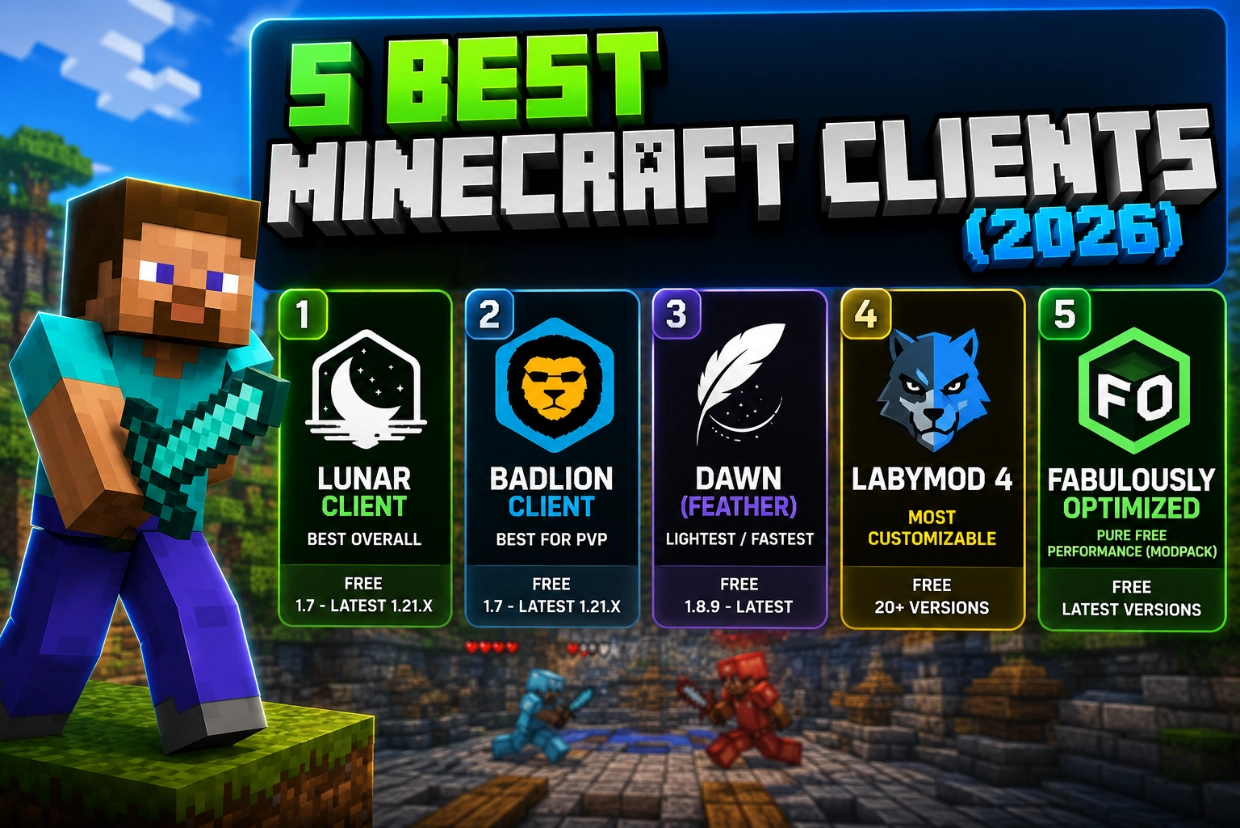
Clients bundle FPS boosts, HUDs, and cosmetics into one program. They’re convenient, but they use more RAM than a lightweight Fabric setup, can introduce FPS drops, limit which mods you can add, and depend on the developers to support each new Minecraft version. If you want one-click convenience anyway, the two best are:
- Feather Client – lightweight and free.
- Lunar Client – the most popular, with a big built-in mod list.
That said, for the highest FPS, the better route is a lightweight launcher like Prism with the Fabric mods above installed directly – which is what most top players actually do.
Quick Reference
| Mod | Category | What it does | Server-safe? |
|---|---|---|---|
| Sodium | Optimization | Biggest FPS boost (rendering) | Yes |
| Lithium | Optimization | Game-logic performance | Yes |
| Starlight | Optimization | Faster lighting engine | Yes |
| FerriteCore / Entity Culling / ModernFix / ImmediatelyFast | Optimization | RAM, culling, bug fixes, load speed | Yes |
| AppleSkin | PvP info | Hunger & saturation HUD | Yes |
| Combat Hitboxes | PvP info | Reach/hit indicator | Usually |
| Better Shields | PvP info | Shield-stun indicator | Usually |
| Status Effect Timer | PvP info | Potion timers | Yes |
| Uku’s Armor HUD | PvP info | Armor durability HUD | Yes |
| Better Hitreg | Action optimizer | Client-side hit registration | Often banned |
| Consumable Optimizer | Action optimizer | Faster eating | Often banned |
| Hero’s Anchor / Elytra Optimizer | Action optimizer | Instant anchor / elytra swap | Check rules |
| Marlow’s Crystal Optimizer | Action optimizer | Instant crystals | Often banned |
How to Install Minecraft PvP Mods
- Install a lightweight launcher – Prism Launcher or the Modrinth App – and create a Fabric profile for your version.
- Install the optimization stack first (or just the Fabulously Optimized modpack), then add the PvP info mods.
- Add Fabric API (most mods need it), plus any listed dependency (Combat Hitboxes also needs Cloth Config and Mod Menu).
- Only add the action optimizer mods if your server allows them.
- Launch, position each HUD in its settings, and confirm your server permits everything before a competitive match.
For more frames on a weaker PC, see our best Minecraft launcher for low-end PCs guide.
Frequently Asked Questions
Start with the optimization stack (Sodium, Lithium, Starlight, plus FerriteCore, Entity Culling, ModernFix, ImmediatelyFast) for FPS, then add the info mods: AppleSkin, Combat Hitboxes, Better Shields, Status Effect Timer, and Uku’s Armor HUD. These are what top players run, and they’re allowed on nearly every server.
The optimization and info mods are fine on almost all servers. The “action optimizer” mods – Better Hitreg, Consumable Optimizer, Marlow’s Crystal Optimizer, and the Hero’s optimizers – bypass server delay and are bannable on many competitive servers, so always check the rules. None of these are cheats (no aim or reach), but a few are still restricted.
No. A lightweight Fabric setup through Prism Launcher gives you higher FPS and full mod control. Clients are only worth it if you want everything bundled in one program and don’t mind the extra RAM usage.
Sodium + Lithium + Starlight as the base, plus FerriteCore, Entity Culling, ModernFix, and ImmediatelyFast – or just install the Fabulously Optimized modpack, which bundles them.
The mods here show information or improve performance – they don’t fight for you, so they’re not cheats. Hacked clients (kill-aura, reach, auto-clickers) are a separate, bannable category and are not on this list.
No. These are Java Edition (Fabric) mods. Bedrock uses add-ons and doesn’t support this kind of PvP modding.
The best PvP Minecraft players win on frames and information mods, not gimmicks. Build a clean Fabric stack – optimization mods first, then the info HUDs – keep the bannable “optimizer” mods off servers that don’t allow them, and you’ll feel the difference in your next fight.
For more, see our best Minecraft gun mods, the Minecraft commands list, and the full Minecraft guides hub.