You’re not alone if you’re struggling to find Nether fortresses in Minecraft. I used to explore endlessly without finding one and tried many confusing methods that didn’t help. I even thought I just had bad luck with my world seeds! But recently, we’ve discovered a surprisingly simple technique to find a Nether fortress in Minecraft. Ever since, it’s been really easy.
What is the Nether Fortress?

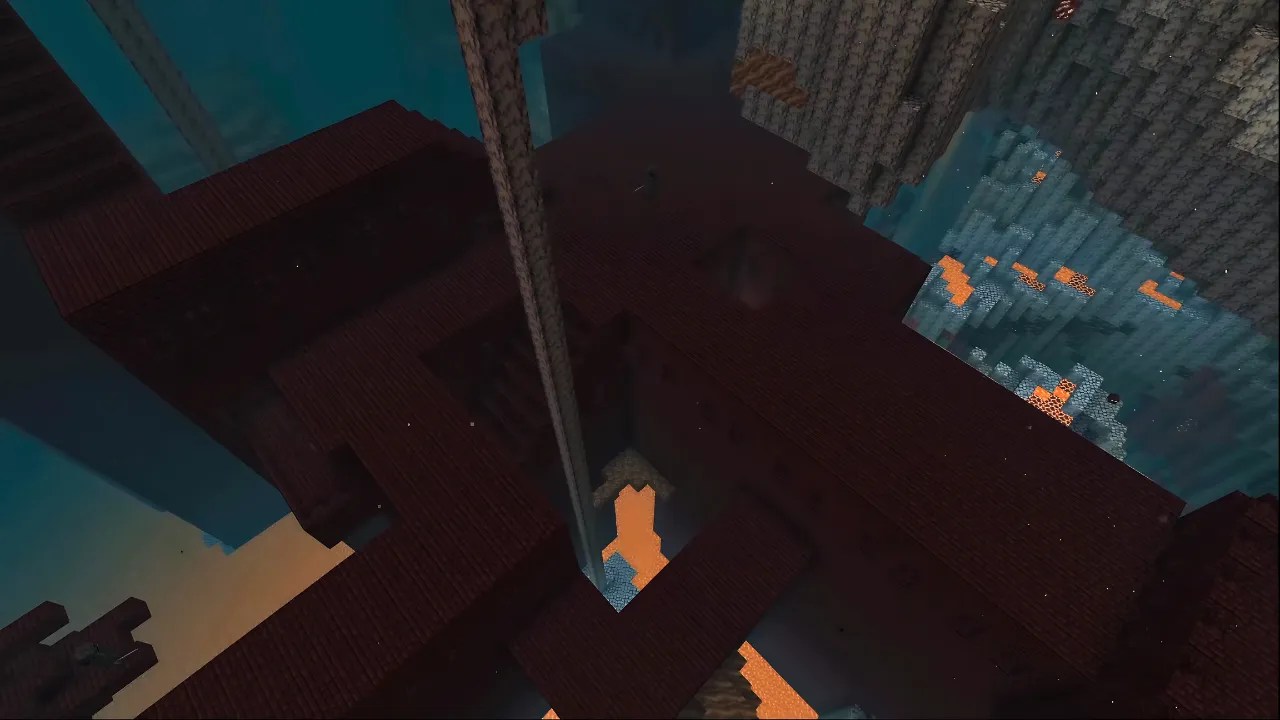
First, what even is a Nether Fortress? The Minecraft Nether Fortress is an essential structure for endgame players. It’s a large structure made of Nether brick that spawns near a lava ocean in Minecraft’s Nether dimension.
It was originally added in the Minecraft 1.0 update back in 2011. In modern Minecraft, Nether fortresses can spawn in any Nether biome (Crimson Forest, Souldsand Valley, Basalt Delta and Warped Forest), so they’re theoretically found throughout the whole dimension.
Nether fortresses may also have loot chests in their hallways. Having rare items like Diamonds, Diamond Horse Armor or even Obsidian. This loot can be found in both Java Edition and Bedrock Edition.
There are 5 different mobs you can find in a Nether Fortress. There are ‘regular’ Skeletons that can be easily defeated with basic gear. Also, there are also Wither Skeletons which are more dangerous than regular skeletons. They drop valuable Wither Skeleton skulls used to summon the Wither boss. Zombie Pigmen are neutral mobs that won’t attack you unless you accidentally hit them. Magma Cubes are bouncy, slime-like mobs that can be annoying to deal with due to their jumping ability.
Finally, the most valuable mob in the fortress, Blazes. There will be 1-2 blaze spawners in every fortress. They drop blaze rods that can be converted into Blaze Powder which can be crafted into Eyes of Ender. Blaze Rods can also be used to craft a Brewing Stand for potions, a Copper Bulb and an End Rod.
If you’re struggling to find a Nether Fortress in Minecraft, don’t worry! Despite what many believe, there’s a surprisingly easy method for finding them, and we’ll walk you through it right now.
Step-by-Step Guide to Finding a Nether Fortress
- Create a Portal and head to the Nether
- Grab your 10 obsidian (by cutting the corners) and make a nether portal. Also, grab your flint and steel and light it up.
- Access the Nether and Set Up Coordinates
- Once you’ve entered the Nether portal, make sure your coordinates are visible by pressing F3. You’ll be using them frequently throughout this method.
- Navigate to the Z-Coordinate of +230
- Travel to a position where your Z-coordinate is around +230. This is a very important part of this method, so make sure you’re close to this value before moving on.
- Move Along the X-Axis
- Once you are at Z +230, travel in a straight line along the X-axis while keeping the Z-coordinate fixed at +230.
- Important: Do not let your Z-coordinate change, and make sure your Y-level stays between 60 and 80 as you move along the X-axis. This will maximize your chances of finding a fortress.
- Switch Directions if Needed
- If you’ve travelled a fair distance along the X-axis (eg. X: 600) while keeping the Z the same without finding a fortress, try going the opposite direction (eg. X: -600).
- Try the Negative Z-Coordinate
- If you still haven’t found a fortress after exploring both X directions at Z: +230, switch to a position where your Z-coordinate is approximately -230, while setting your X-coordinate back to around 0.
- Repeat the process: travel in a straight line along the X-axis in both directions, keeping your Z-coordinate at -230 this time. This should lead you straight to a fortress.
How to Find a Nether Fortress with Commands
If you have cheats enabled in your Minecraft world, you can easily locate a Nether fortress using a simple command. Here’s how:
- Enable Cheats
- First, make sure you have cheats turned on in your world. If not, you can enable them from the world settings before you load into the game.
- Use the Locate Command
- Once you’re in the Nether, open your chat window (T) and type the following command:
/locate structure minecraft:fortress
- Once you’re in the Nether, open your chat window (T) and type the following command:
- Check the Response
- After entering the command, press Enter. If you get a message like “Could not find that structure nearby,” it means you’re either too far from a Nether fortress or you need to enable the “Generate Structures” option when creating your world.
Bonus tip: Make sure you have a decent render distance, to find a fortress from a distance, or you might just miss it.
Sources: TheAetherGamer /Youtube