Stuck with a farmer when you wanted a librarian? Villager professions are not permanent, at least not until the villager trades with you. This guide covers exactly how to change a villager’s job, the one mistake that locks a profession forever, and why a villager sometimes refuses to switch.
Everything here is confirmed in the current 2026 version of Minecraft (26.3) and works in both Java and Bedrock.
Quick answer: to change a villager’s job, break its current job site block so it becomes unemployed, then place the job site block for the profession you want nearby. The villager claims the new job during working hours. This only works if the villager has never traded with you, once it has, the profession is locked for good.
Job Change at a Glance
| Detail | Value |
|---|---|
| How professions are set | An unemployed adult villager claims a nearby job site block |
| To change a job | Break the old job site block, then place the new one |
| Hard limit | Once a villager has traded once, its profession is permanent |
| Never take jobs | Nitwits (green robe) and baby villagers |
| Working hours | Roughly daytime (about 2000 to 9000 game ticks) |
Step 1: Make Sure the Villager Can Change

Two things decide whether a villager will switch jobs at all:
- It must not have traded yet. The moment you complete even one trade, that villager’s profession is locked permanently. Breaking the job block after that changes nothing. So always lock in the profession you want before trading.
- It cannot be a nitwit or a baby. Nitwits wear a green robe and never take a job no matter what block you place. Baby villagers only take jobs once they grow up.
If the villager already has an apron color from a profession but you have not traded, you are still free to change it.
Step 2: Break the Current Job Site Block

Every employed villager is tied to a job site block that acts as its workstation. Find the block your villager is using, a composter for a farmer, a lectern for a librarian- and mine it. The villager loses its job almost instantly and turns back into a plain unemployed villager.
If you are not sure which block is theirs, watch where the villager walks during the day; it will path to its workstation and stand over it with green particles when it links.
Step 3: Place the New Job Site Block

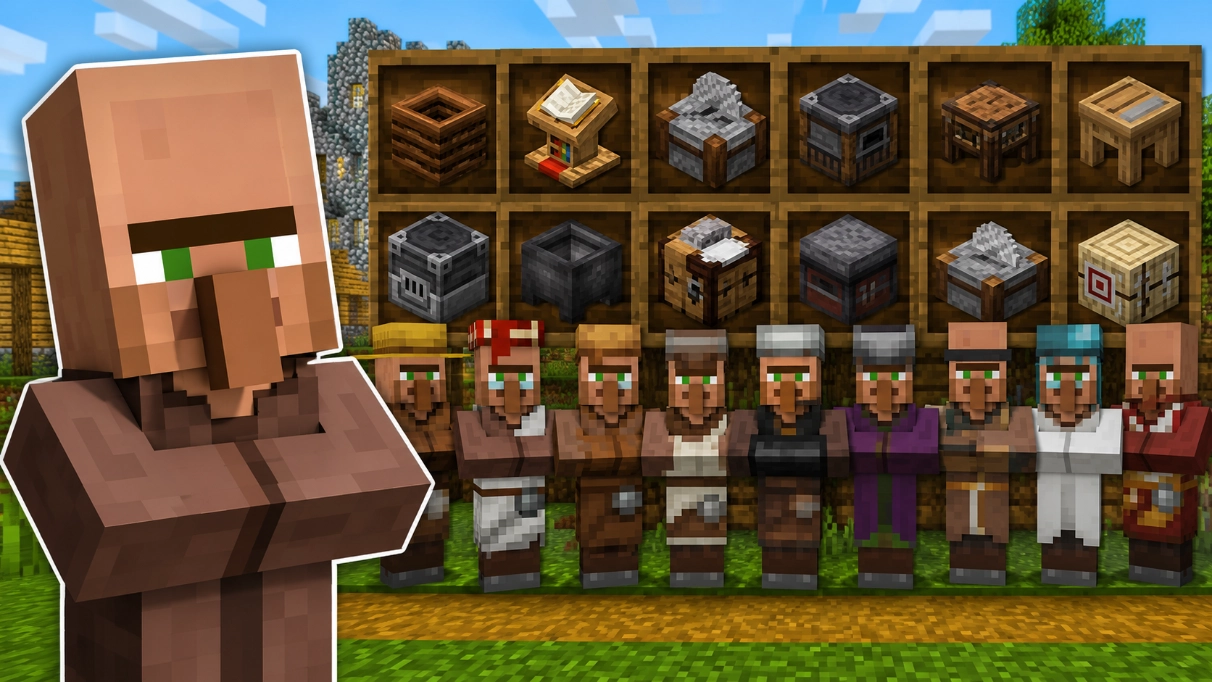
Now place the job site block for the profession you want within a few blocks of the unemployed villager, and wait for daytime working hours. The villager wanders over, links to the block with a burst of green particles, and takes the new profession. Here are the main blocks:
- Composter – Farmer
- Lectern – Librarian
- Smithing table – Toolsmith
- Blast furnace – Armorer
- Grindstone – Weaponsmith
- Cartography table – Cartographer
- Brewing stand – Cleric
- Barrel – Fisherman
- Cauldron – Leatherworker
- Loom – Shepherd
- Smoker – Butcher
- Stonecutter – Mason
- Fletching table – Fletcher
For the full list and what each profession sells, see our Minecraft villager jobs guide. If you specifically want enchanted books, our how to make a librarian villager guide covers that profession in detail.
Why Your Villager Won’t Change Jobs
If the new job will not stick, it is almost always one of these:
- The villager already traded. This is the big one; a traded villager is locked forever. Cure a zombie villager or breed a fresh one to start over.
- A competing job block is nearby. Villagers keep the block they linked to first. Remove other nearby workstations so the villager only has one option.
- It cannot reach the block. If water, walls, or mobs block the path, the villager just stands there. Clear a walkable route to the new block.
- No bed. A villager needs a bed to behave normally, including claiming a job. Keep a bed nearby.
- It is not working hours. Job claiming happens during the day. Wait for morning if nothing is happening at night.
A clean trick when reassigning several villagers: place the job blocks one at a time, or they sprint to steal each other’s workstations, and you end up with the wrong professions.
Frequently Asked Questions
Break the villager’s current job site block so it becomes unemployed, then place the job site block for the profession you want nearby. The villager claims it during daytime working hours.
The most common reason is that the villager has already traded with you, which locks its profession permanently. Other causes are a competing job block nearby, a blocked path to the block, no bed, or trying at night.
Only if the villager has never traded. Breaking the block makes an untraded villager unemployed so it can take a new job. A villager that has traded keeps its profession no matter what.
No. Once a villager completes a single trade, its profession is locked for the rest of its life. You would need a different, untraded villager.
Composter is Farmer, lectern is Librarian, blast furnace is Armorer, grindstone is Weaponsmith, smithing table is Toolsmith, barrel is Fisherman, and so on. Each profession has one matching block.
No. Nitwits wear a green robe and can never be employed, and baby villagers only take a job once they grow into adults.
Changing a villager’s job comes down to timing: break the old block, place the new one, and do it before the villager ever trades. Get the profession you want locked in early, and you can shape a whole village economy around exactly the trades you need.