

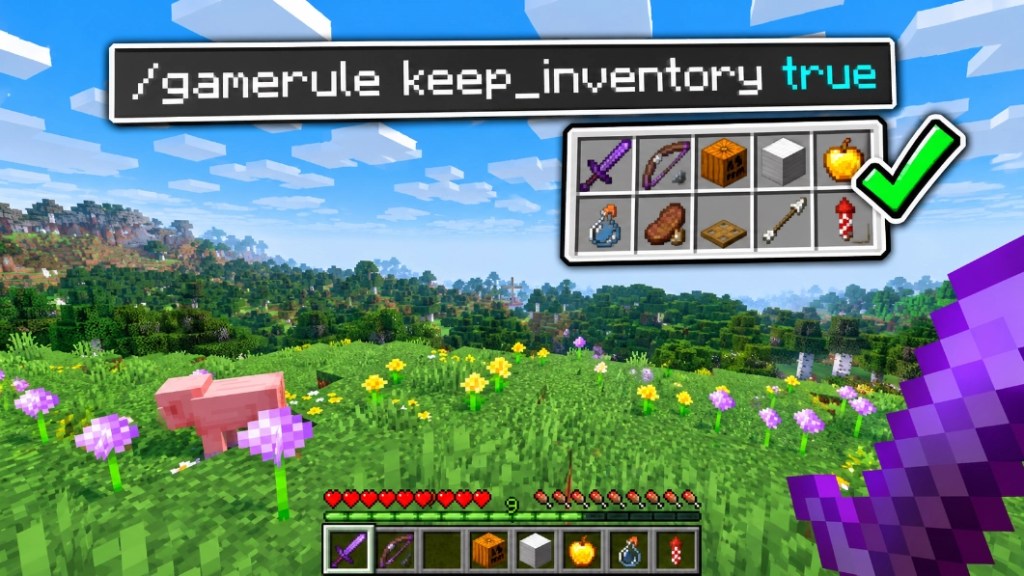
To turn on keep inventory in Minecraft, run /gamerule keep_inventory true on Java Edition, or /gamerule keepinventory true on Bedrock Edition. You need cheats or operator permissions to use the command. Once it is on, you keep your items and your experience when you die.
The part that confuses people is the spelling. Java renamed the rule in 1.21.11, so the command from older tutorials no longer matches what you see in the game today. This guide covers the exact command for each edition, the menu method, what keep inventory does and does not keep, and how to fix it when it will not work. Everything is checked against the Minecraft Wiki for Java 26.3 and Bedrock 26.52.
Quick Answer
- Java (1.21.11 and newer, including 26.3):
/gamerule keep_inventory true - Java (older than 1.21.11):
/gamerule keepInventory true - Bedrock:
/gamerule keepinventory true - Turn it off: run the same command with false at the end.
- You need permission. Java needs operator level 2. Bedrock lists the rule as cheats-only.
- It keeps items and experience. Effects are still removed when you die.
Keep Inventory Commands at a Glance
| Action | Java 26.3 | Bedrock 26.52 |
|---|---|---|
| Turn on | /gamerule keep_inventory true | /gamerule keepinventory true |
| Turn off | /gamerule keep_inventory false | /gamerule keepinventory false |
| Check the current value | /gamerule keep_inventory | /gamerule keepinventory |
| Default | false | false |
Version checked: Java 26.3 and Bedrock 26.52.
How to Turn On Keep Inventory With the Command
- Make sure cheats are on. When you create a new world, turn on Allow Commands on Java or Allow Cheats on Bedrock. In an existing world, you can switch cheats on at any time: on Java, open World Options from the pause menu, and on Bedrock, open Settings and go to the Cheats tab.
- Open chat. Press T, or press the slash key to start with the slash already typed.
- Type the command for your edition. Use the table above. Press Enter.
- Check the confirmation. The game tells you in chat that the rule is now set to true. Running the command without a value also shows you the current setting.

From now on, if you die, you respawn with the inventory you had. If you want to be sure it works before you rely on it, test it once in a throwaway world.
Why the Command Changed on Java
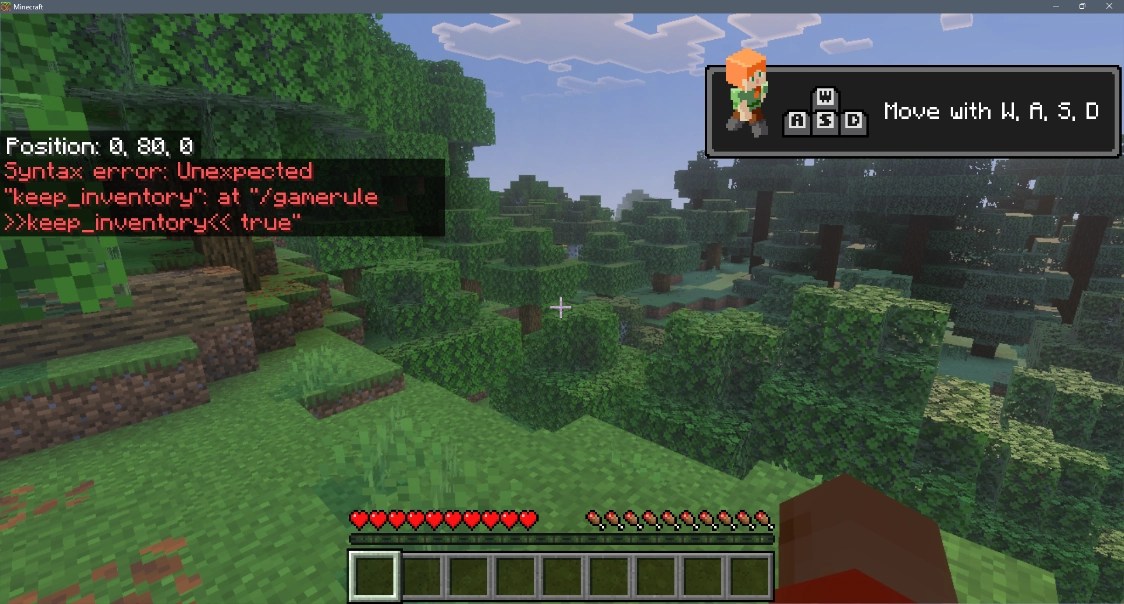
Until 1.21.11, the Java rule was spelled keepInventory. In that release every Java game rule moved into a registry and was renamed to snake case, so it became keep_inventory. Many tutorials were written before the change.
Java commands are case sensitive, so the spelling has to be exact. Bedrock is the opposite: it shows the rule in lowercase for autocomplete, and what you type is not case sensitive. That is why /gamerule keepinventory true is right for Bedrock and not for current Java.
If you are on an old Java version and the new spelling is rejected, try keepInventory. The rule has been in Java since 1.4.2 and in Bedrock since 1.1.0.
How to Turn On Keep Inventory From the Menu
You do not have to type anything. Both editions have a world settings screen for game rules.
Java Edition
Game rules appear in the Edit Game Rules menu, which is built into the Create World and World Options screens. The rules are split into categories, and keep inventory is in the Player category.
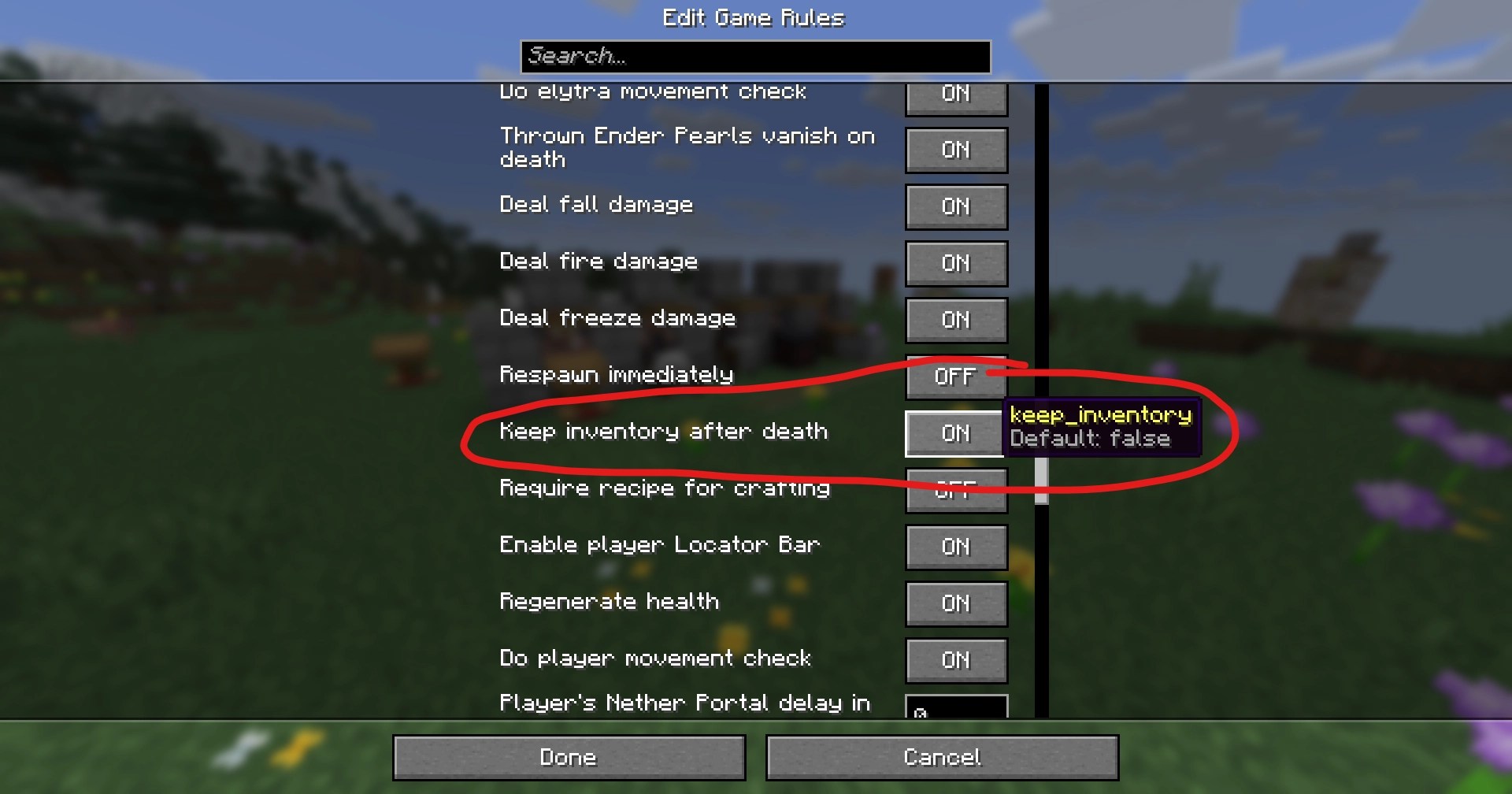
Since 26.1, the same game rules screen is also available in-game from the World Options screen in the pause menu, and it has a search bar at the top. Type keep and the rule comes up.
Bedrock Edition
Open the world settings and scroll to the Cheats section. Keep Inventory is a toggle there. Bedrock lists this rule as cheats-only, so turning it on means turning cheats on for that world.

There is a catch on Bedrock. Enabling cheats in a world permanently prevents you from unlocking achievements in that world, even if you turn cheats off later. If you care about achievements, use a separate world for keep inventory.
What Keep Inventory Keeps (and What It Does Not)
With keep inventory off, everything in your inventory drops where you die, except items enchanted with Curse of Vanishing. Dropped items disappear after five minutes while that chunk is loaded. You also lose your experience levels, and you drop experience orbs worth your last level times 7, up to a maximum of 100.
With keep inventory on, you keep both your items and your experience. A few things still reset:
- Effects: all effects are removed when you die, even with keep inventory on.
- Health and hunger: both reset as normal when you respawn.
- Curse of Vanishing: items with it do not disappear when keep inventory is on.
If you died with keep inventory off and want your items back, see how to teleport to your last death point. How to teleport to your last death point covers finding the spot before the items despawn.
Keep Inventory on a Server
On a server, you have to be an operator to run the command. Java needs operator level 2. Bedrock needs level 1.
Make yourself an operator from the console with op and your username. Then run the gamerule command in-game, or type it in the server console without the leading slash.
A game rule belongs to the world, not to a single player. When you turn keep inventory on, it applies to everyone playing in that world. Each new world starts with the default of false, so you have to set it again.
How to Turn Keep Inventory Off
Run the same command with false at the end. On current Java that is /gamerule keep_inventory false, and on Bedrock it is /gamerule keepinventory false. You can also flip the toggle back in the game rules or Cheats menu.
Why Keep Inventory Is Not Working
- Wrong spelling. Use keep_inventory on current Java and keepinventory on Bedrock. Java is case sensitive, and the Java spelling gives a syntax error on Bedrock.
- No permission. Java needs operator level 2. On single-player, turn cheats on first. On a server, run op on yourself from the console.
- You turned it on after dying. The rule only affects deaths from that point on. Items from an earlier death are already dropped.
- A different world. Game rules are saved per world. Check that you set the rule in the world you are playing.
- Hardcore mode. In Hardcore, you can only respawn in Spectator mode, so keep inventory does not let you carry on playing.
- Effects are gone. That is expected. Potion effects are always removed on death.
Other Game Rules Players Change Alongside It
If you are already in the game rules, these are the ones people usually set next. Names are from the Minecraft Wiki.
| Goal | Java 26.3 | Bedrock 26.52 |
|---|---|---|
| Stop mobs from breaking blocks | mob_griefing false | mobgriefing false |
| Stop the day and night cycle | advance_time false | dodaylightcycle false |
| Stop fire from spreading | fire_spread_radius_around_player 0 | dofiretick false |
| Stop natural healing | natural_health_regeneration false | naturalregeneration false |
| Respawn without the death screen | immediate_respawn true | doimmediaterespawn true |
For the full walkthrough on fire, see how to turn off fire spread in Minecraft. For more commands you will use in a world with cheats on, see the best Minecraft commands for creative mode and the full Minecraft commands list.
The mob_griefing rule also affects villagers. If you turn it off, they stop picking up food, so they can only breed until the food they already hold runs out. Why villagers will not breed explains the effect.
Frequently Asked Questions
On Java 26.3 it is /gamerule keep_inventory true. On Bedrock it is /gamerule keepinventory true. You need cheats or operator permissions to run it.
Current Java uses keep_inventory, because every Java game rule was renamed to snake case in 1.21.11. Older Java versions use keepInventory. Bedrock uses keepinventory, and what you type is not case sensitive there.
Yes. With keep inventory on, you keep your items and your experience levels when you die. With it off, you lose your levels and drop experience orbs worth your last level times 7, up to 100.
It does not help you keep playing. In Hardcore, you can only respawn in Spectator mode after you die.
No. All effects are removed when you die, even with keep inventory on. Health and hunger also reset as normal.
You need permission to run the command. Java needs operator level 2, and Bedrock lists keepinventory as a cheats-only rule, so cheats must be on in that world.
Turning it on requires cheats, and on Bedrock enabling cheats in a world permanently prevents unlocking achievements in that world, even if you turn cheats off later.
Yes. Game rules apply to the world, so keep inventory covers every player in the world where you set it.



